
What your parents and students see
Every family gets their own login, so “when is the next lesson?” and “how much do I owe?” are always answered. Upcoming lessons, your lesson notes and invoices, in one place.
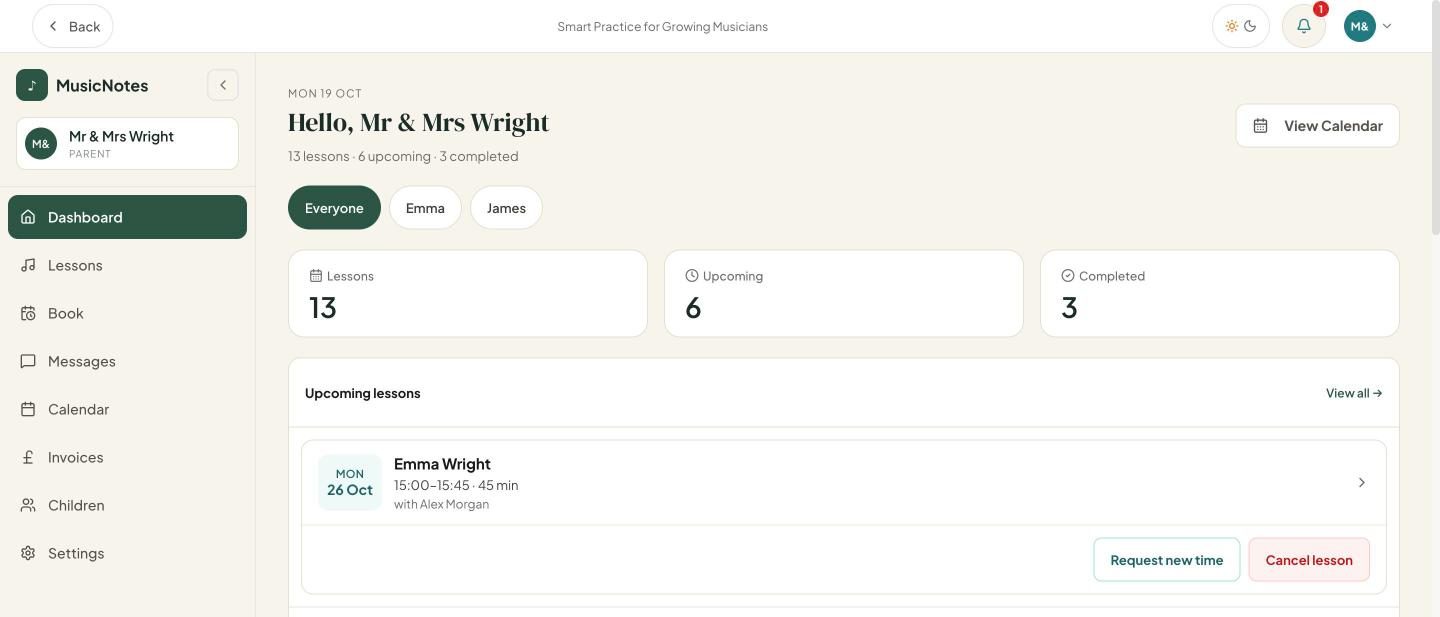
Every upcoming lesson for each child, with one filter to switch between them. Screenshots show demo data.
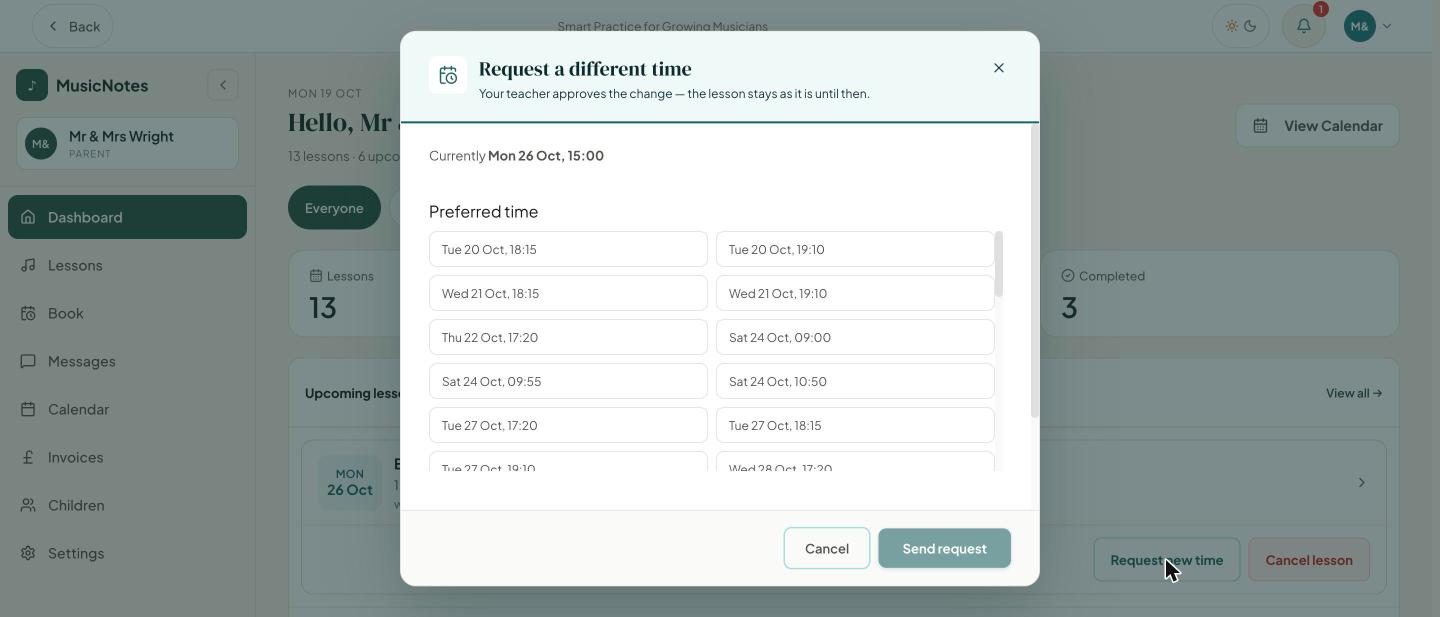
Ask for a new time
If a lesson clashes with something, a parent can ask for a different time. They choose from the times you have made available and you approve the change. The lesson stays as it is until you do.
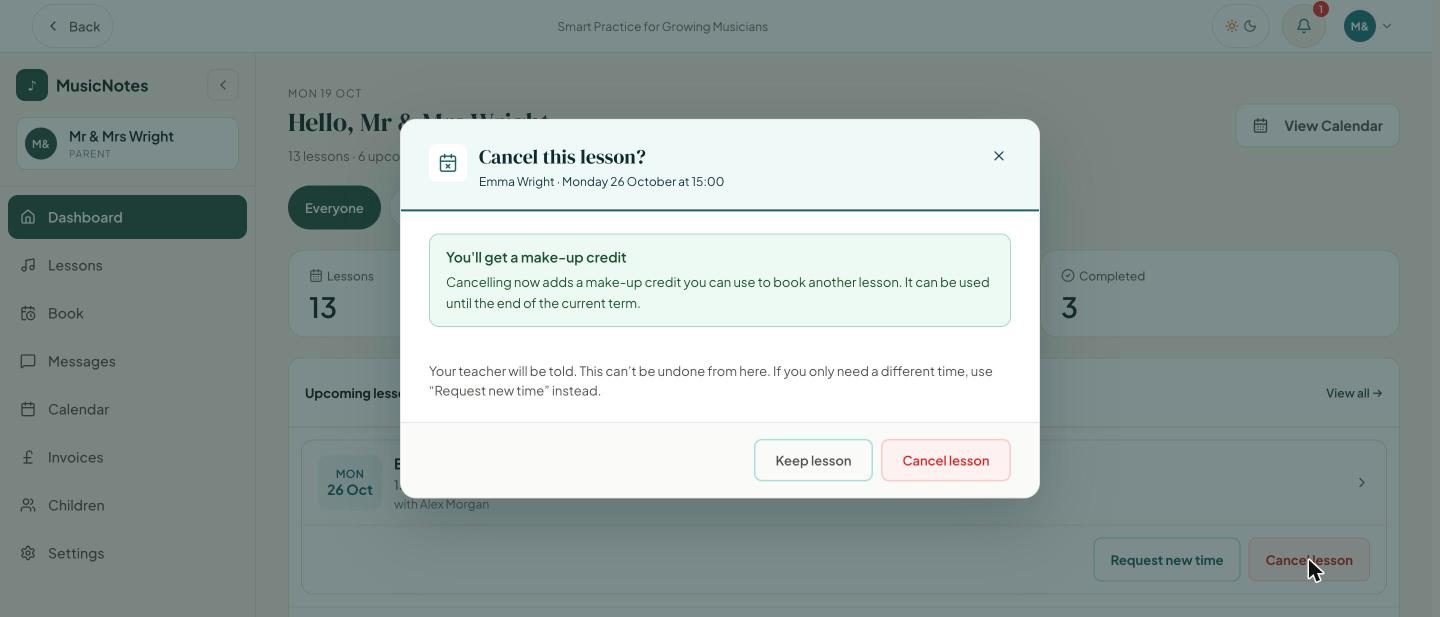
Cancelling, with the rules spelled out
Parents can cancel from their dashboard. Before they confirm, they are told whether they will get a make-up credit, based on your cancellation notice and credit settings, so there are no surprises afterwards.
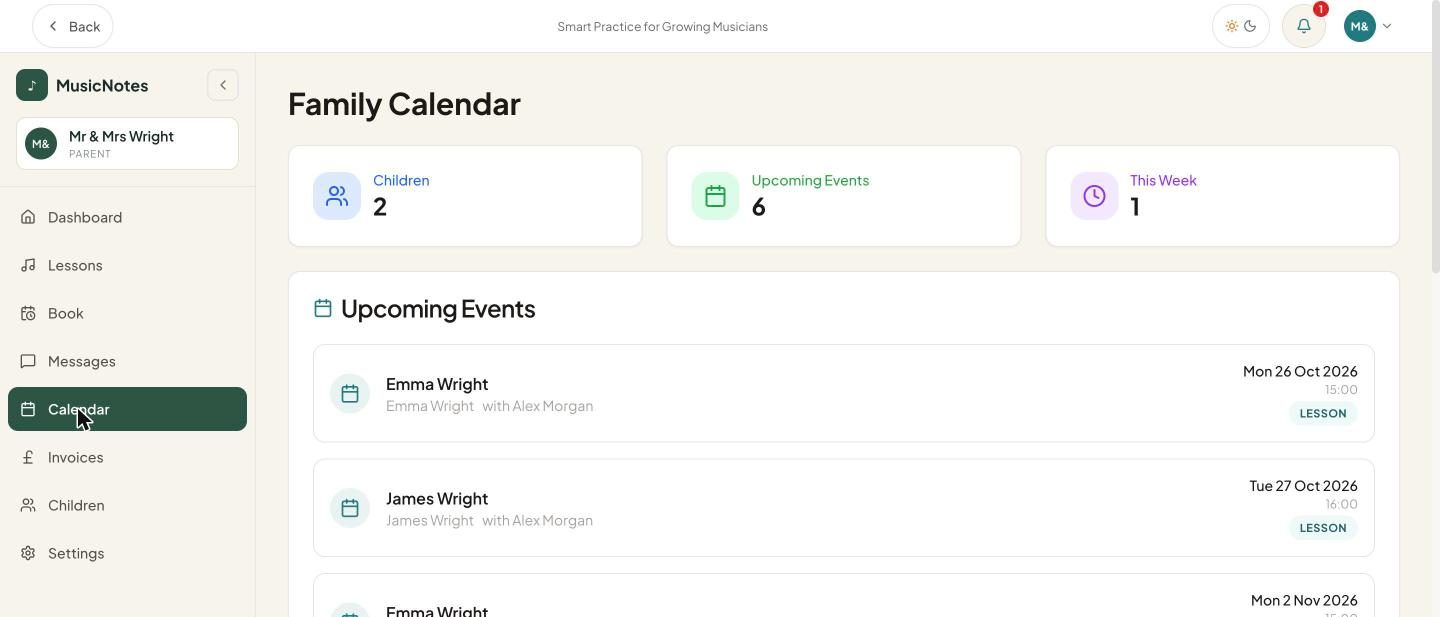
See what is coming
A family calendar lists the upcoming lessons for every child in one place.
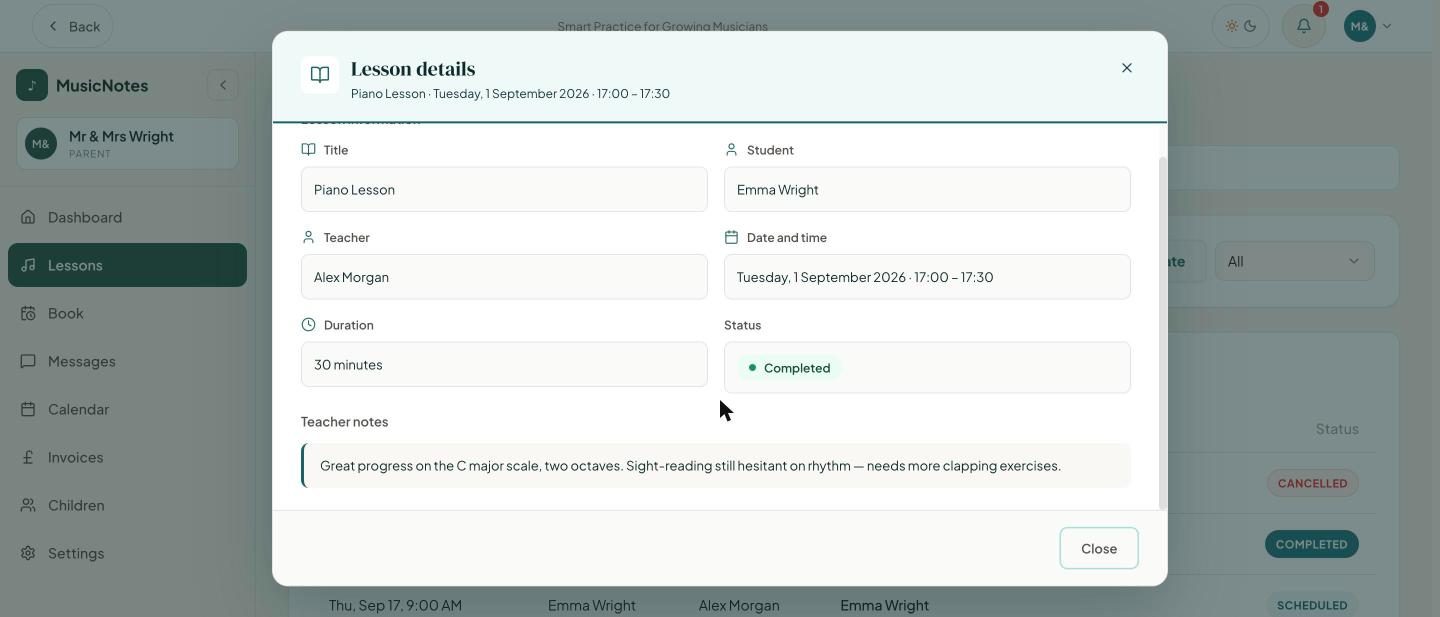
Your notes, in one place
Past lessons stay in the portal along with the notes you write for the family. Your own lesson preparation is never shown to them.
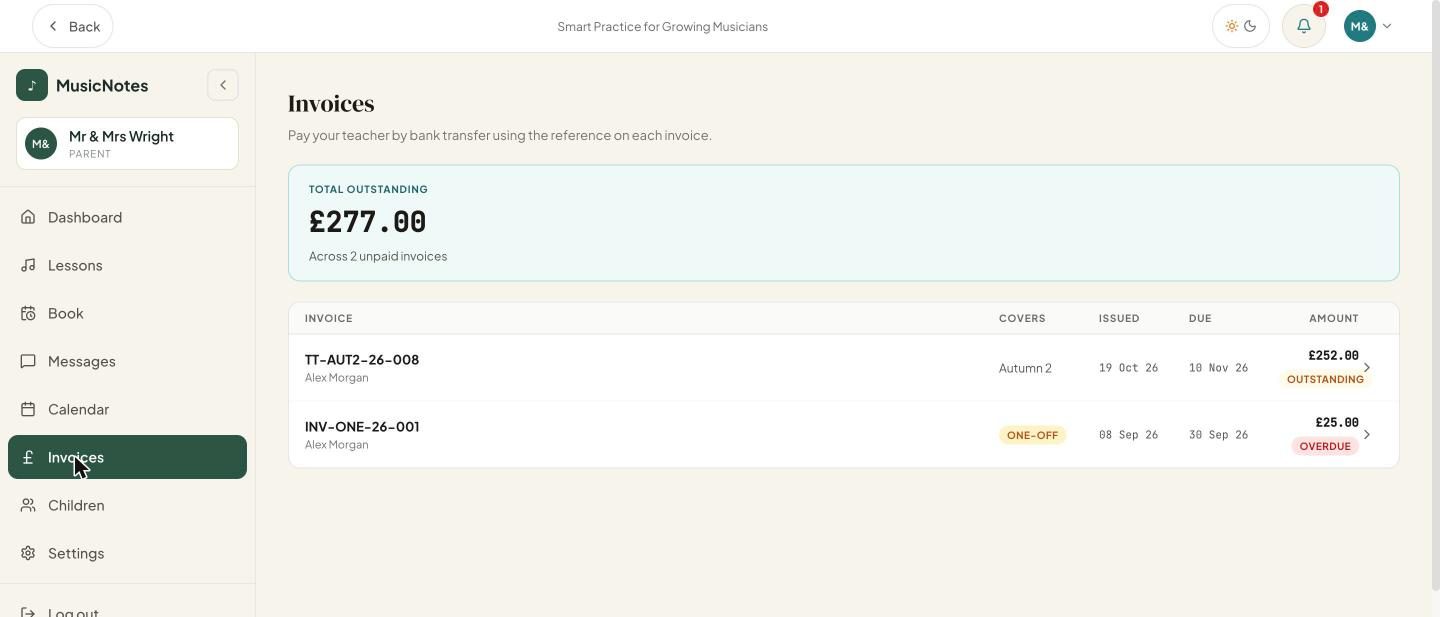
Invoices and what is owed
Parents see their invoices and the total outstanding, with your payment reference. They pay you by bank transfer. Card and Direct Debit payments are planned for 2027.
Adult students too
Adults get their own login with the same view, so they can manage their own lessons and invoices.
One login per family
A parent with several children sees them all together and can switch between them.
Your rules, shown up front
Cancellation notice and make-up credits follow the settings you choose, and families are told what applies before they act.